
I love designing files. The past week, I’ve been share some super cute, school’s out designs. Although I love the designs, they were a bit too cutesy for my older boys. So, I set out to create something that was cool enough for them to want to wear it to school.

This post contains affiliate links
Here is what you need:
– T-shirt
– HTV Vinyl (I used Chemica Fashion Silver Carbon)
– Electronic cutter (cricut explore, silhouette or other cutter)
– Weeding tool
– Iron or heat press
– Cut File (see link below)

1. Upload your file into your cutting software. Adjust the size to fit your shirt. Be sure to mirror your design. Then load and cut your vinyl (be sure it’s HTV).
2. Use your weeding tool to pull up the excess vinyl.
3. Follow the manufacturers instructions to apply the HTV to the t-shirt
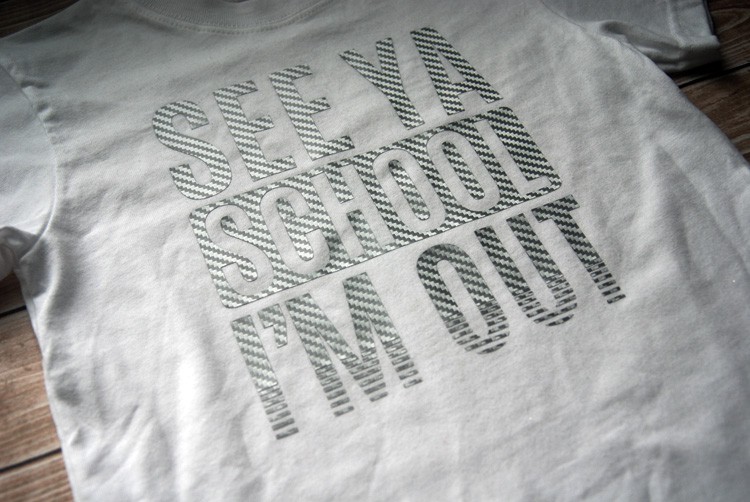
I was at my local vinyl shop a few weeks ago and found this awesome looking silver HTV. Can I just say how amazing it looks? The pictures don’t do it justice, it is so cool!

Mission accomplished…even my 7th grader thought it was awesome!
Want to make your own? Download the free cut file below.
In case you’re new here…
I love making digital cutter files and each week I love to share them with you! This free download will be available through 6/2/17 and is for personal use only. You can purchase the file with a Commercial License from my shop. Here is this week’s freebie. Enjoy!

Sorry, this free file has expired. It is now available to purchase in my shop.
Thanks and come back soon!